Web development
Front-end vs Back-end: A Simple Explanation
Definition
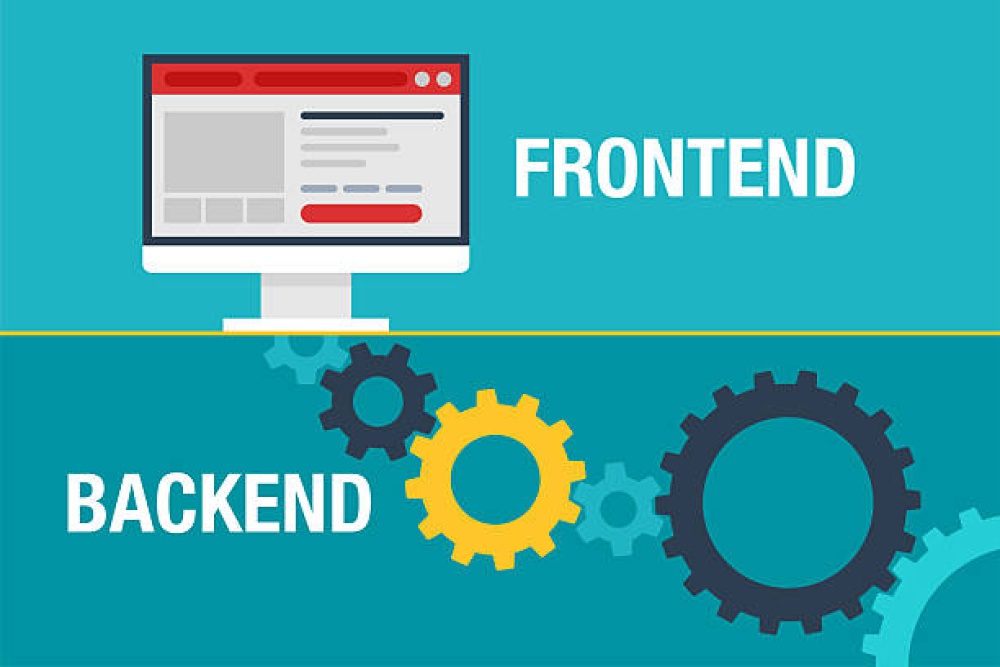
Front-end and back-end are two sides of the same system.
A simple way to understand the difference is to compare a website to a restaurant. The front-end is the dining room: the menu, the presentation, the service, the atmosphere and everything the customer sees. The back-end is the kitchen: preparation, stock management, internal organisation and everything that makes the service possible.
Users interact with the front-end when they click a button, complete a form, navigate a menu or view a page. But behind these actions, the back-end often processes a request: retrieving information, saving data, checking an account, sending a message or displaying personalised content.
A high-performing website therefore does not depend only on its appearance. It also depends on the quality of its architecture, the strength of its server-side logic, the speed of data exchanges and the coherence between the visible interface and the invisible system behind it.
The front-end gives access to the experience. The back-end makes that experience possible, reliable and dynamic.
Approach
Understanding the role of each part to design better digital projects.
At Edikka, front-end and back-end are never considered separately. An elegant interface loses value if it relies on an architecture that is slow, fragile or difficult to maintain. Conversely, a solid back-end must be supported by an interface that is clear, fast and intuitive.
The quality of a website comes from their coordination. The front-end must make usage simple and pleasant. The back-end must handle data, business rules, security and processing reliably. Together, they create a smooth, coherent and high-performing experience.
Interface
02Data
03Server
04Experience
Challenge
Why this distinction matters in a web project.
Understanding the difference between front-end and back-end helps organise a digital project more clearly. It makes it easier to know who works on what, which skills are needed, which issues can slow the site down and which technical decisions will affect the user experience.
A visible problem on a page can come from the front-end: layout, button, animation, responsive behaviour or display. But it can also come from the back-end: server slowness, poorly optimised queries, a heavy database, processing errors or poorly structured application logic.
Display
The front-end presents content, buttons, forms, menus and visual elements.
Interact
The front-end allows users to click, navigate, enter information and trigger actions.
Process
The back-end receives requests, applies business logic and prepares the required responses.
Store
The back-end communicates with databases to save, modify or retrieve information.
Understanding
The 7 key points for understanding front-end and back-end.
Front-end and back-end are often presented as two separate worlds. In reality, they communicate constantly. The front-end sends a request, the back-end processes it, then the front-end displays the response in a way users can understand.
This complementarity sits at the heart of every modern website: advanced corporate website, e-commerce platform, extranet, member area, business application or custom digital platform.
Front-end
The front-end is the visible part of the website
The front-end includes everything users see directly in their browser: text, images, buttons, forms, menus, animations, layout and visible interactions.
- Page structure and content organisation
- Visual design, typography, colours and spacing
- Buttons, forms, menus and interactive components
- Animations, transitions and visible behaviours
- Responsive adaptation across mobile, tablet and desktop
Technologies
The main front-end technologies
Front-end development mainly relies on three complementary languages. HTML structures the content, CSS manages the visual presentation and JavaScript adds dynamic interactions.
Structures content: headings, paragraphs, links, images, sections and forms.
Defines appearance: layout, colours, typography, spacing and responsive behaviour.
Adds interactions: dynamic menus, filters, sliders, validations and server calls.
Tools such as React, Vue or Angular can structure more complex interfaces.
Back-end
The back-end is the invisible logic of the website
The back-end runs on the server side. It processes requests sent by the front-end, applies business rules, communicates with the database and returns the information needed for display.
The front-end shows the possible action. The back-end decides what should happen when that action is triggered.
- Database management
- Form and order processing
- User authentication
- Management of permissions, roles and access
- Creation, modification and retrieval of content
Technologies
Common back-end technologies
The back-end can be developed with several languages and environments. The choice depends on the project, the team, expected performance, architecture and business requirements.
Widely used for websites, CMS platforms, custom systems and many back-office tools.
Allows JavaScript to run on the server side to build fast and dynamic applications.
Used for web applications, data processing, automation and complex systems.
Used to query, organise and manipulate data stored in a relational database.
Differences
Distinguishing the user interface from server logic
The main difference lies in visibility. The front-end is directly perceived by users. The back-end works behind the scenes to make features possible, secure and reliable.
Visible part: interface, design, interactions, navigation and user experience.
Invisible part: server, data, business logic, security and processing.
Strongly influences the perceived speed, clarity and comfort of use.
Influences reliability, real performance, data management and stability.
Communication
Understanding how front-end and back-end work together
When a user interacts with a website, the front-end and back-end can exchange information in fractions of a second. This communication makes it possible to display content, validate actions and update data.
Architecture
Building a coherent architecture between both parts
A solid web project requires strong coordination between front-end and back-end. Interface choices must take available data into account, and back-end choices must support the real needs of the user experience.
Front-end and back-end must be designed around the same goals: performance, clarity, security and scalability.
The back-end must provide the front-end with the right information, in the right format and at the right time.
The front-end must be designed with technical constraints, performance and maintenance in mind.
Comparison
Front-end vs back-end: the key differences to remember.
Front-end and back-end serve different functions, but they cannot be separated. One makes the website usable, the other makes it functional. One organises the visible experience, the other manages invisible processing.
Understanding this distinction helps avoid poor decisions: investing only in design without improving server performance, or building robust logic without an interface clear enough for users.
Visible, invisible, interface, data.
Visible part of the website: design, navigation, buttons, animations and user experience.
Invisible part: server, database, business logic, security and processing.
Works on clarity, usability, accessibility, responsiveness and perceived fluidity.
Works on reliability, data structure, server performance and scalability.
Common mistakes
Mistakes that create imbalance between front-end and back-end.
A website can lose performance when front-end and back-end are not designed together. Problems often appear in loading times, display bugs, forms, data exchanges or project maintenance.
Focusing only on appearance without optimising technical performance.
Neglecting data structure and making future evolutions more difficult.
Creating an interface that requires heavy or poorly anticipated back-end processing.
Developing features without considering the real user journey.
Multiplying scripts, animations or requests that slow down the experience.
Lacking coordination between design, integration, business logic and the database.
Strategy
Why this distinction is strategic.
Knowing how to distinguish front-end from back-end makes it easier to manage a web project. It helps define needs, choose the right technologies, distribute responsibilities, anticipate constraints and build an architecture suited to the objectives.
This understanding is especially important for scalable projects: member areas, back offices, product catalogues, internal search engines, image management, messaging systems, advanced forms or e-commerce platforms.
Technical choices
Select the languages, tools and architectures suited to the project’s level of complexity.
Performance
Optimise both perceived speed on the user side and real speed on the server side.
Maintenance
Build code that is more readable, more modular and easier to evolve.
Experience
Connect technical quality to an interface that is clear, smooth and useful for the end user.
What works
The principles of a website well balanced between front-end and back-end.
A high-performing website depends on balance: a clear and fast interface, reliable server logic, well-structured data and smooth communication between both parts.
The front-end must make the experience simple. The back-end must ensure that features respond correctly, quickly and securely.
Clarity, solidity, fluidity, scalability.
The front-end makes content, actions and journeys easy to understand.
The back-end processes data and features reliably and securely.
Exchanges between interface, server and database are fast and well organised.
The architecture makes it possible to add new features without weakening the whole system.
Conclusion
Front-end and back-end are complementary, not competing.
The front-end is the visible part of a website: interface, design, navigation, interactions and user experience. The back-end is the invisible part: server, data, business logic, security and processing.
One cannot work properly without the other. A beautiful interface is not enough if data is poorly managed or if the server responds slowly. Solid back-end logic loses impact if users do not understand how to interact with the website.
Understanding the difference between front-end and back-end makes it possible to build projects that are more coherent, more efficient and easier to evolve. It is an essential foundation for designing a website that is reliable, useful and genuinely effective.
The front-end is what users see and use. The back-end is what processes, organises and secures what happens behind the interface.
A good website never separates what the user sees from what makes it possible.
The front-end shapes the experience. The back-end gives it power, reliability and logic. Opposing them would be a mistake: a high-performing website is born precisely from their alignment.
At Edikka, we see web development as a complete system: a clear, fast and elegant user-facing interface supported by a solid, clean and maintainable server-side architecture. This invisible coherence turns a website into a true performance tool.
Make users want to act
The front-end creates the first impression. It structures reading, guides interactions and makes the journey smoother, more readable and more convincing.
Hold the system together
The back-end guarantees logic, security, speed and stability. It enables the site to run cleanly even as needs evolve.
Align both sides
Performance comes from balance: a pleasant interface is not enough without solid foundations, and robust architecture loses value if the user experience remains confusing.
Go further on this topic
Additional answers to clarify the key points covered in this article.